
April 28, 2025 | 5 min read
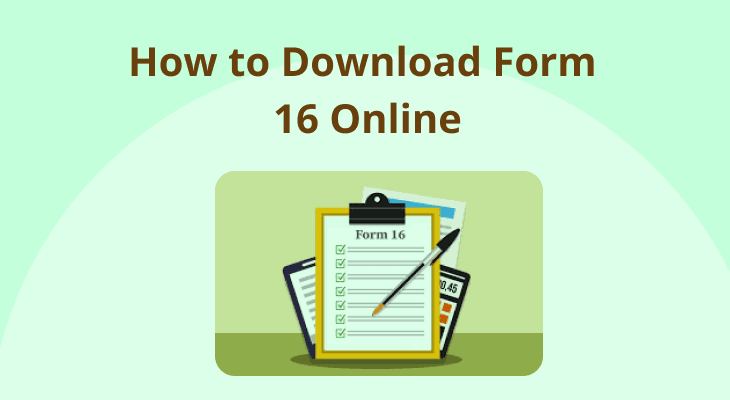
How to Download Form 16 Online: A Simple Guide for Taxpayers
Staying tax compliant is essential for earning individuals, and having the right financial documents in place makes the process seamless. Form 16 is one of the most significant tax documents that not only serves as proof of Tax Deducted at Source (TDS) but also helps in filing Income Tax Returns (ITR).
This guide will shed light on everything you must know about Form 16.
Introduction to Form 16
Form 16 is an essential tax document issued by an employer to an employee. It certifies that tax has been deducted from the employee’s salary and deposited with the Income Tax (IT) department.
Form 16 has two parts: Part A and Part B
Part A of Form 16 contains details such as:
- Name and address of the deductor (employer)
- Name and address of the deductee (employee)
- Permanent Account Number (PAN) and Tax Deduction and Collection Account Number (TAN) of the deductor
- PAN of the deductee
- Summary of the TDS deducted and deposited for the entire financial year
Part B of Form 16 contains details such as:
- Salary breakup
- Details of exemptions under Section 10
- Details of deductions under Chapter VI-A
- Total taxable income and final tax liability
Eligibility to receive Form 16
Employers must deduct TDS if an employee’s total income exceeds the basic exemption limit for a financial year. In such cases, the employer must issue Form 16 to the employee.
If no TDS has been deducted, the employer is not obligated to issue Form 16. However, many employers prefer to provide Form 16 as it serves as an important financial document that helps employees not only in filing taxes but also in other financial transactions, such as applying for loans or verifying income details.
Where to access Form 16 online?
There are two ways to access and download Form 16 online.
- Through the employer’s portal: With the advancement of technology, most organisations use HR and payroll software to automate and streamline salary processing, among other things. Employees can download Form 16 online by logging into their employer’s portal using their login assigned credentials. Typically, the form is available under the salary, tax or payroll section of the portal.
- Through the official IT department website: The IT development has a dedicated online platform known as the TDS Reconciliation, Analysis, and Correction Enabling System (TRACES) for managing TDS-related activities. Employees can request their employers to generate a copy of Form 16 from TRACES if needed. It is important to note that this portal is primarily for employers and deductors, not employees or deductees.
Additional Read- https://www.mstock.com/articles/income-tax-basics-for-beginners
Steps to download Form 16 online from the employer’s portal
Here’s how to get Form 16 online from the employer:
Step 1: Log in to the company’s online portal using assigned credentials.
Step 2: Navigate to the section related to salary or taxation.
Step 3: Select the relevant financial year and download Form 16.
Step 4: Check all the details to ensure they are correct.
Accessing Form 16 through the IT department website
Employees cannot directly download Form 16 from TRACES. Employers can download and distribute the certificate using these simple steps:
Step 1: Visit the TRACES website.
Step 2: Register and create a new account. Log in in using the TAN as the id and created password.
Step 3: Navigate to the ‘Downloads’ section and select ‘Form 16’.
Step: Select the financial year, quarter and enter employee PAN details to download Form 16.
Step 4: Go to the downloads section and click on ‘Requested Downloads’.
Step 5: Enter the request number and download the password-protected ZIP file. The password is usually the first four letters of the employer’s TAN followed by the request number. Enter the password and extract the ZIP file.
Step 6: Check all details and share Form 16 with employees via email, HR portal, or printed copies.
Important details to check in Form 16
Verifying the details in Form 16 is essential for filing taxes correctly and maximising tax benefits. Here are some things to check in Form 16.
Personal details
- Employee name, address and PAN
- Employer name, address, PAN and TAN
TDS details
- Quarterly TDS deductions
- Total TDS deducted in a financial year
Salary, exemptions, and deductions
- Breakup of gross salary
- Exemptions under section 10
- Deductions claimed under Chapter VI-A
Tax details
- Total taxable income
- Total tax liability and refund (if applicable)
Note: If you find any errors or omissions in Form 16, you must contact your employer immediately and ask them to make the necessary changes.
What to do if you can't find Form 16 online
If TDS has been deducted from your salary but you are unable to find Form 16 online, here are some steps you can take:
- Contact your employer: Your employer is under legal obligation to issue Form 16 if they have deducted tax. You can reach out to your HR or finance department and request them to send it to you.
- Check your email: Some employers send Form 16 via email. So, check your inbox again for any communication from your HR or finance department.
- Escalate the issue: If your employer refuses to issue Form 16 despite deducting TDS, you have the right to intimate the Jurisdictional Assessing Officer for necessary actions.
- Check Form 26AS: In the absence of Form 16, you can use Form 26AS on the IT e-filing portal to verify TDS details.
Note: While form 16 is helpful for filing taxes, it is not mandatory. You can still file your tax returns with the help of your salary slips, bank statements, Form 26 AS and other relevant financial documents.
Conclusion
Form 16 is an essential document that simplifies tax filing. Verifying its details and keeping it handy helps ensure tax compliance and maximise tax benefits.
More Related Articles

Understanding tax on buying gold and selling gold in India
 September 30, 2026 | 0 mins read
For generations, gold has symbolised not just wealth and financial security, but also tradition and prestige in Indian households. While physical jewellery and coins continue to be the preferred choice for many, investors today are increasingly exploring alternatives such as digital gold, Gold Exchange-Traded Funds (ETFs), and other gold-backed investments. Regardless of the form, understanding how tax on gold works is essential. This article explains the tax rules applicable to buying and selling different types of gold in India.
What is tax compliance
September 30, 2026 | 0 mins read
Whether you are a startup, small business, or an established company, ensuring income tax compliance and GST compliance (Goods and Services Tax compliance) is essential for smooth business operations. This article serves as a comprehensive guide to tax compliance in India.
New tax rules 2026: How to save tax in 2026?
August 6, 2026 | 0 mins read
The new Income Tax Act, 2025, replaces the long-standing Income Tax Act, 1961, to modernise, simplify, and streamline India’s direct tax system. Effective from April 1, 2026, the new tax rules introduce revised deduction and allowance provisions, rationalised Tax Collected at Source (TCS) rates, updated Income Tax Return (ITR) filing deadlines, and stricter compliance measures.