
June 26, 2025 | 5 min read
How to Download Aadhaar Card Online
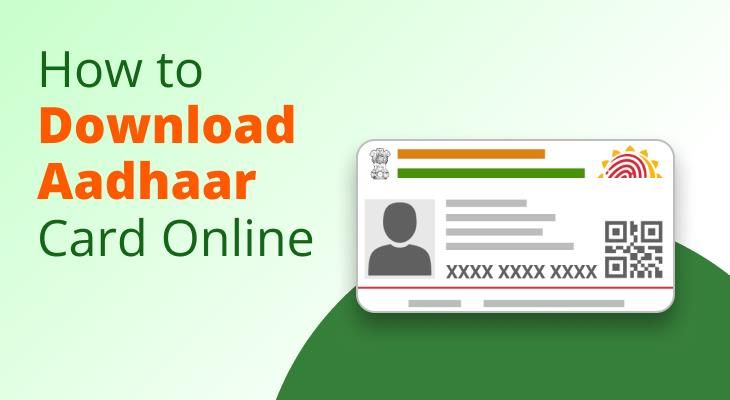
In the current digitised era, having instant access to your identification documents is imperative. The Aadhaar card, a 12-digit unique identification number issued by the Unique Identification Authority of India (UIDAI) in India, is a valid proof of identity and address for Indian citizens.
Your Aadhaar card is a must-have everywhere. Whether taking a loan, opening a bank account, or getting government subsidies, presenting the Aadhaar and final verification is complete. The UIDAI offers several ways to download your Aadhaar card online. It is thus a good idea to know how to download an Aadhar card so you can have it whenever required.
Introduction to Aadhaar and Its Importance
The Aadhaar card is no ordinary government-issued identification document. Over the years, it has become a worthy representative of the foundation of India's ambitious digital infrastructure. It has transitioned from an ambitious pilot program to the world's most extensive biometric identification system with over 1.3 billion enrollments.
Aadhaar's path tracks India's giant leap into the digital-first century. Since its launch in 2009 by UIDAI, Aadhaar has transformed the means of identity creation, establishment, and employment nationwide.
With a population as large and wide-ranging as India, where millions before did not possess formal identification, Aadhaar became a game-changing propeller of inclusion that brought people under the umbrella of formal frameworks like banking, medical care, subsidies, and internet services.
Since its inception, Aadhaar has evolved from a mere identity verification to an essential key that opens up basic services, from opening a bank account and submitting income tax returns to direct benefits transfer and accessing government welfare programs.
The launch of e-Aadhaar, the digital equivalent of the card, expedited this revolution. Now, the e-Aadhaar is as good as the physical card and is enjoyed by citizens with the ease of being available at all times, anywhere, in a secure, digitally signed PDF format.
The e-Aadhaar thus became a portable, always-with-me document of identity and address—a key facilitator of India's drive to a paperless, cashless, and faceless governance system.
Various Methods of Downloading Aadhaar Online
UIDAI provides various methods of downloading your Aadhaar card online to suit different users:
By Aadhaar Number: If you possess your 12-digit Aadhaar number, you can easily download your e-Aadhaar from the UIDAI website.
By Enrolment ID (EID): If you've just enrolled and don't yet have your Aadhaar number, you can use your 28-digit EID to download the e-Aadhaar.
Using Virtual ID (VID): For extra protection, you may create a 16-digit VID to download your Aadhaar.
Using Name and Date of Birth: If you've lost your Aadhaar number or EID, find them using your name and date of birth and then download.
mAadhaar App: UIDAI's official app lets you download and take care of your Aadhaar from anywhere.
DigiLocker: A government initiative, DigiLocker allows you to store and access your Aadhaar in a digital format.
UMANG App: Unified Mobile Application for New-age Governance (UMANG) combines government services, such as Aadhaar download.
Step-by-Step Guide to Download Aadhaar from UIDAI Portal
Here's a step-by-step guide on how to download an Aadhaar card from the UIDAI portal:
1. Go to the UIDAI Portal: Go to https://myaadhaar.uidai.gov.in.
2 . Click on 'Download Aadhaar': In the 'My Aadhaar' section, click on 'Download Aadhaar'.
3. Select Your Identifier: (One of the following)
- Aadhaar Number
- 2-digit unique ID.Enrolment ID (EID)
- 28-digit number given during registration.
- Virtual ID (VID): 16-digit temporary ID for enhanced security.
4. Enter Details: Enter your selected identifier, captcha code, and press 'Send OTP'.
5. OTP Verification: Enter the OTP received at your registered mobile number.
6. Download e-Aadhaar: After verification, press 'Verify and Download' to download your e-Aadhaar in PDF format.
Note: The downloaded e-Aadhaar PDF is password-protected. The password is the first four letters of your name in capital letters, followed by your birth year (YYYY). For example, if your name is RAVI and you were born in 1990, your password will be RAVI1990.
Additional Read: What is an Aadhaar Card Virtual ID and How to Generate It? m.Stock
Alternative Methods to Download Aadhaar
1. mAadhaar App
UIDAI's official mobile app enables users to view their Aadhaar on the move.
Download & Install: Supports both Android and iOS devices.
Register: Use your registered mobile number to register the app.
Download Aadhaar: Go to 'Download Aadhaar', select Regular or Masked Aadhaar, provide your information, and verify through OTP to download the PDF.
2. DigiLocker
A safe cloud platform for storing and retrieving official documents.
Sign In: Go to https://digilocker.gov.in/ and sign in with your credentials.
Link Aadhaar: Go to 'Issued Documents', look for 'Aadhaar', and link your UIDAI information.
Access Document: On successful verification, your e-Aadhaar can be downloaded.
3. UMANG App
Unified Mobile Application for New-age Governance (UMANG) consolidates different government services.
Download & Install: On Android and iOS.
Register/Login: Utilise your cell phone number to register for the application.
Access Aadhaar Services: Go to 'My Aadhaar'> 'Download Aadhaar', provide your details, and authenticate through OTP to download the e-Aadhaar.
Things to Remember After Downloading Aadhaar
Password Security: Your e-Aadhaar PDF is password-protected (first four letters of your name in capital letters + birth year).
Digital Signature: The e-Aadhaar has a digital signature of UIDAI, making it authentic.
Masked Aadhaar: For extra privacy, you may choose a masked Aadhaar, which conceals the first eight digits of your Aadhaar number.
Printing: Though the digital copy is acceptable, you can print out the e-Aadhaar on plain paper or go for a PVC card through UIDAI's services.
Your Aadhar, Always Within Reach
UIDAI has ensured that the process of viewing your Aadhaar card online is both secure and easy, offering people the flexibility to use their preferred method of choice, be it through the UIDAI portal, mobile apps, or government-supported digital platforms such as DigiLocker.
While India speeds up its digital journey, the Aadhaar card is at the forefront of facilitating smooth access to basic services. Whether it is banking and taxation, welfare schemes, or routine verifications, it has emerged as the thread that weaves citizens into an array of public and private services.
But amidst this ease, a tiny but important detail tends to slip through the cracks—having your mobile number associated with your Aadhaar. This one easy step makes the downloads, verifications, and updates seamless.
In a world where digital documentation is the new normal, having your Aadhaar handy, safe, portable, and verifiable instantly is a smart move.
More Related Articles
EPFO new Aadhaar portal: What changes for PF account holders
 August 7, 2026 | 0 mins read
EPFO is building a new Aadhaar-based portal to help members trace old or inactive PF accounts, verify their identity, and move balances to an active UAN more easily. The new portal is expected to be especially useful for employees who worked before the UAN system was introduced in 2014.

What is Pradhan Mantri Garib Kalyan Yojana?
July 24, 2026 | 0 mins read
80% of India's 570 million workers are in the informal economy no written contracts, no job security, no social protection. When work stops, so does income. India has long needed a mechanism to deliver direct support to its most vulnerable not through institutions or intermediaries, but straight to the people who need it.

How to compare ₹10 brokerage plans with other brokers in India?
May 26, 2026 | 0 mins read
You may track the online share market closely, follow earnings, and plan entries and trades with precision. But the brokerage cost can shape the share of your profit that you finally get to keep. Low ₹10 brokerage plans at online trading platforms like m.Stock are easily accessible across all segments. But with so many distinct options, picking a suitable one can seem cumbersome.